Your hall's scoreboard connects to nothing.
OCR — a camera reads the scoreboard your hall already has. Point a camera at the board, and the live score goes on your stream. Nobody types the score during the game.
The camera reads basketball boards today. For the other 49 sports, WR Score keeps the score by hand, and OCR comes sport by sport as we record each sport's boards.

The arena has a scoreboard. Your broadcast cannot see it.
You arrive at the arena to produce the game. The scoreboard is on the wall, and it connects to nothing. Or it runs on a system you are not allowed to touch.
So someone on your crew watches the board and types the score by hand, for the whole game. One missed basket and the graphics are wrong on air.
66 : 64
Reading a board with a camera is not new. Doing it on a laptop, with numbers that make sense, and with the rest of your production in the same app — that is new.

Run a camera

Cut replays

Cover a second court
Fewer hands on the score. More to offer your clients.
Nobody on your crew types the score any more. That person can run a camera, cut replays or cover a second court.
And with graphics, a hall screen and a stream in the same app, every production you deliver has more in it — without more people or more gear.
How it works.
-
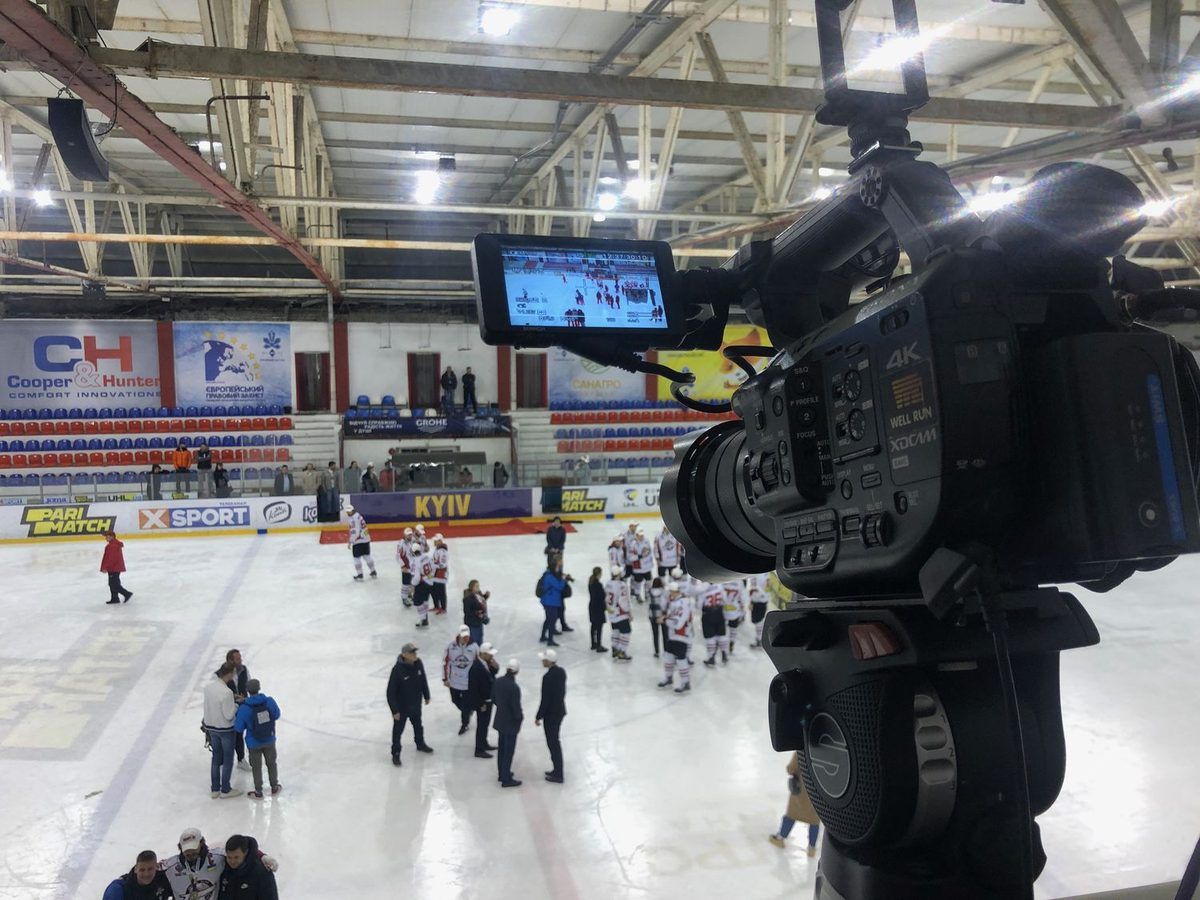
Point
Aim a camera at the scoreboard. A webcam or a capture card on a small tripod is enough.
-
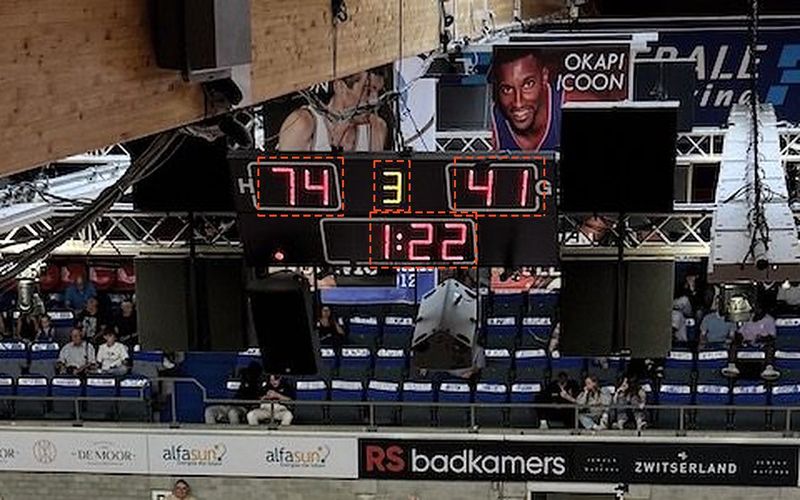
Detect
WR Score finds the board and places a box on each number for you. It names each field: clock, score, period, fouls. WR Score reads up to 15 zones of a board, any fields you choose. You check what it found and adjust any zone by hand. The better the board and the camera, the less there is to adjust.
-
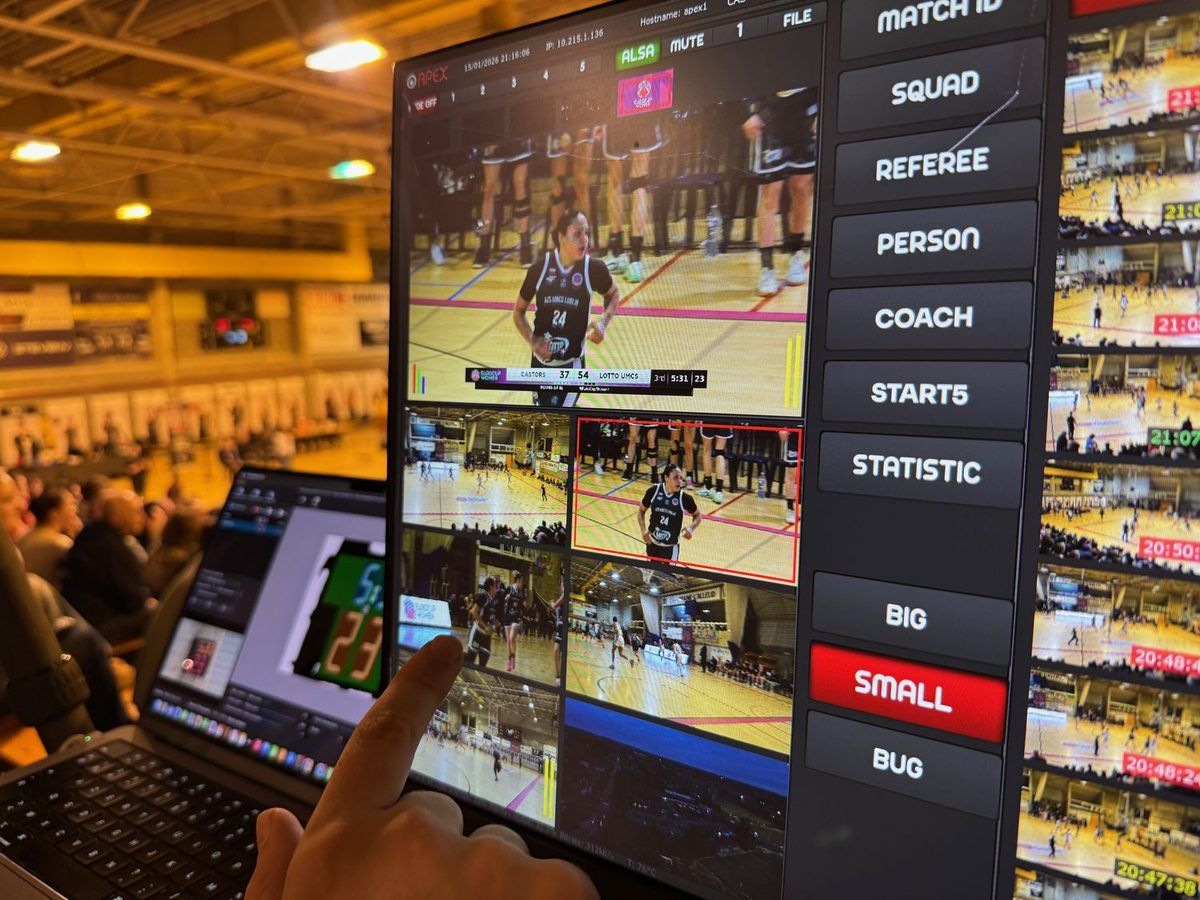
Broadcast
The live numbers go to your graphics. Save the venue, and next game it is ready in one click.


Numbers that make sense.
A camera can misread a lamp. What matters is what happens next.
WR Score knows the game. It knows how a clock runs, how a score can move, and which values each field can show. A reading outside those values is refused before it reaches your stream, so a score of 4772 in a basketball game never goes on air. A number it cannot read is held, not guessed — a 102 never goes out as 12.
No reader is perfect. It still depends on the board and the camera. But what reaches your broadcast is a number the game could actually show.
When a reading could be wrong, a new value goes out only after three reads in a row agree.
Made for a live game.
Flashes and strobes
A camera flash or a goal light does not change a score.
Someone walks in front of the board
The last correct score stays until the board is clear.
The hall gets darker
It follows the light as it changes during the game.
A lamp is broken
It learns which lamps are weak or dead, and reads around them.
The camera is nudged
It finds the board again by itself.
The camera loses the board
Every output keeps the last clear score, marked as old.
The operator sees how sure WR Score is about every field, and why. One press corrects a field by hand.


Any source.
WR Score runs on a Mac today. Windows, Linux, iPhone and Android come next.
Other ways to get the numbers in:
- A camera or a capture card on your device
- Screen capture: a window or part of a screen, even one behind other windows
- A network stream: RTSP, RTMP, SRT or HLS
- A video file, to try it on a recording of your own board
Two boards, and a scorekeeper when you need one.
Two inputs. The shot clock is often above the basket, across the hall from the main board. Read both in one session, each with its own camera. Every field lives on one board, so the two can never disagree.
Choose who sends each field. Let the camera read the score, and let the scorekeeper send the clock from a phone. On the fields the scorekeeper sends, the scorekeeper wins. Switch a field back and the camera takes it again.
Numbers out, everywhere.
WR Score graphics
The numbers drive our own broadcast graphics, with your custom titles.
See the broadcast graphicsYour own tools
A browser source for OBS, vMix, CasparCG and any studio that takes one. Or data: 8 output types at once, including HTTP, WebSocket, TCP, UDP and MQTT, plus CSV, TXT and XML files.
Set up once per venue.
WR Score learns each board it meets: where the digits sit, how bright each part is, which lamps are weak. It saves all of it with the venue. The next game in that hall starts where the last one ended. Export a venue, and it travels to another machine without being rebuilt.

Works when the internet does not.
WR Score runs offline. The arena's wifi does not decide whether your score is on air.
We know what it is to lose a connection in the middle of a production. The scoreboard runs on your Mac, and the hall screens on your hall's own network do not need the internet; a screen you open through score.well.run does. If a payment fails, your plan keeps working for 7 days while you fix it, and an update never installs while you are live.
Join the Closed BetaTry it before you rely on it.
- Try OCR on a recording of your own board. Film your hall's scoreboard during a game. In WR Score on your Mac, open OCR › Input › Video file, choose the video, and watch OCR read the numbers.
- Not sure OCR can read your board? Send us a short video of your scoreboard at score@well.run, and we check that OCR reads it.
- Need more time to test? Write to us at score@well.run.
We count, we never watch.
OCR reads only the numbers on your scoreboard, on your Mac. WR Score sends no picture of your hall anywhere, unless you add a clip of the board to an error report yourself.
Plans that follow your season.
You work in seasons, and so do we. No games, no payments — keep that money for whatever you enjoy in the summer.
Plans follow your season — pay for the months you have games, not for the summer. Club costs €30 / $30 a month, without VAT.
Who it is for.
Production companies
Arrive, point, broadcast. No cables into the arena's system.
Live broadcasters
Correct numbers on air, without an operator typing them.
Clubs that stream
Your hall's scoreboard on your stream, from a camera on a tripod.
Questions.
Electronic boards: seven-segment and dot-matrix LED. Flip cards and paper cannot be read. For those halls, use the Scoreboard App.
The camera reads basketball boards today. For the other 49 sports, WR Score keeps the score by hand, and OCR comes sport by sport as we record each sport's boards.
WR Score finds the board and places the boxes for you. You check them and adjust any that are off. Once a venue is saved, you do not do it again.
Read it with a second camera in the same session.
It keeps the last clear reading of that field, marked held, and does not guess a new one. You can correct it by hand.
WR Score runs on your Mac, without the internet. If a payment fails, your plan keeps working for 7 days while you fix it.
Point. Detect. Broadcast.
The arena's scoreboard, live on your broadcast, from a camera at courtside.