Graphics
Your own titles, WR Score's data.
Keep the titles you designed. WR Score fills them with the live score, the teams and the clock.

WR Score sends its values to an address another program reads: one value for each field, such as score_home, team_home_name or clock. Your titles stay yours; only the words and numbers come from WR Score.
vMix: a GT title with WR Score's data.
- In WR Score, open Graphics › Output and switch on Open to the hall's network. Only on the hall's own network, never a guest or public Wi-Fi; switch it off after the game.

- Under Your own titles, our data, on As XML, press Copy, and send the address to the vMix PC. The address carries a key: anyone who has it reads the game. Send it to the vMix PC only, never into a group chat or a post. Regenerate overlay address, at the top of the same page, stops every copied address at once.
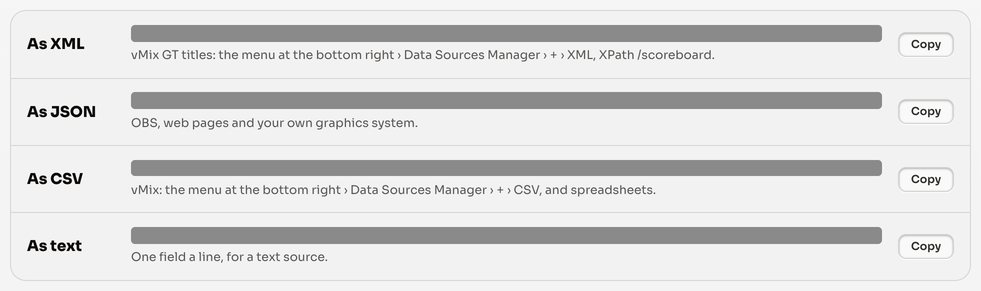
- In vMix: the menu at the bottom right › Data Sources Manager › + › XML. Paste the address.
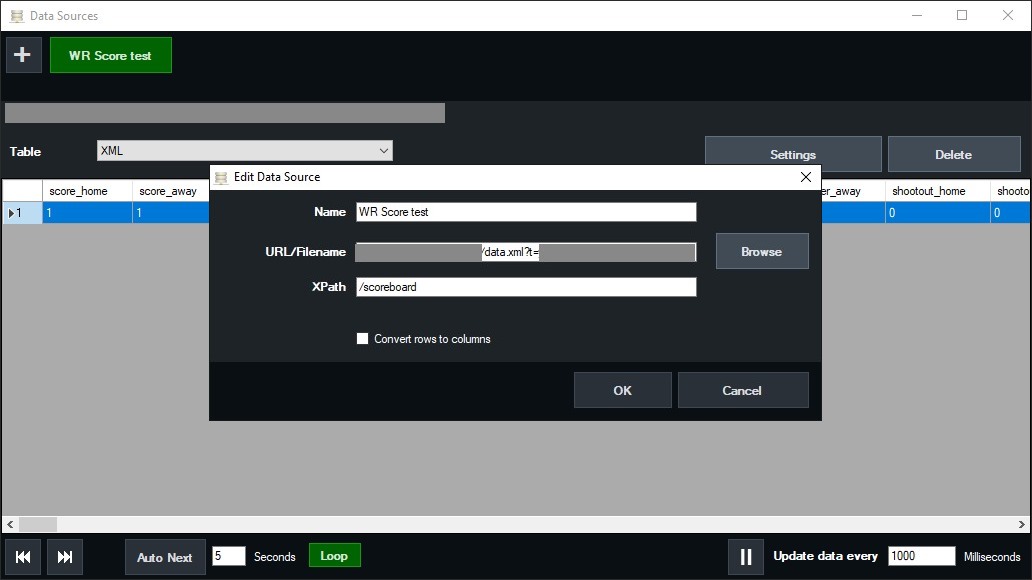
- Set XPath to
/scoreboard, then OK. In the Data Sources window, set Update data every to1000milliseconds or less. - Open your GT title's Title Editor and choose a text. Press Data Source, pick your source, and set Column to a field:
score_home,score_away,team_home_name,team_away_name,clock,period. Do the same for each text.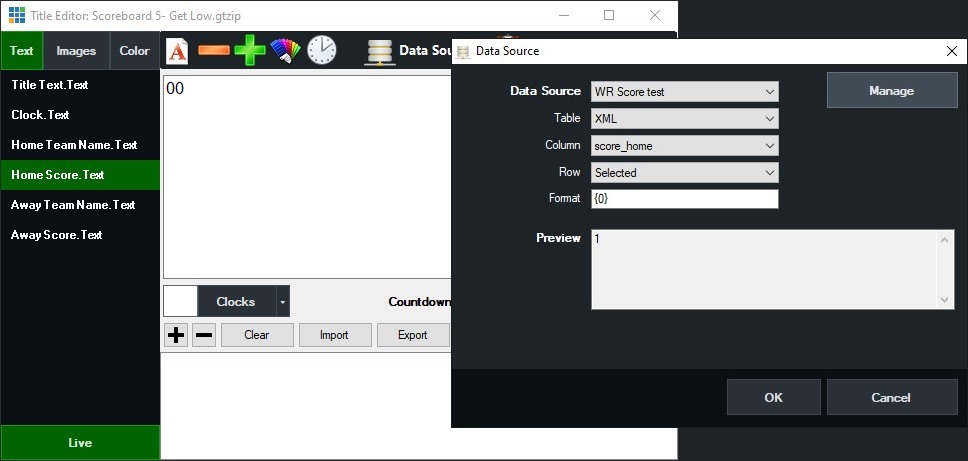
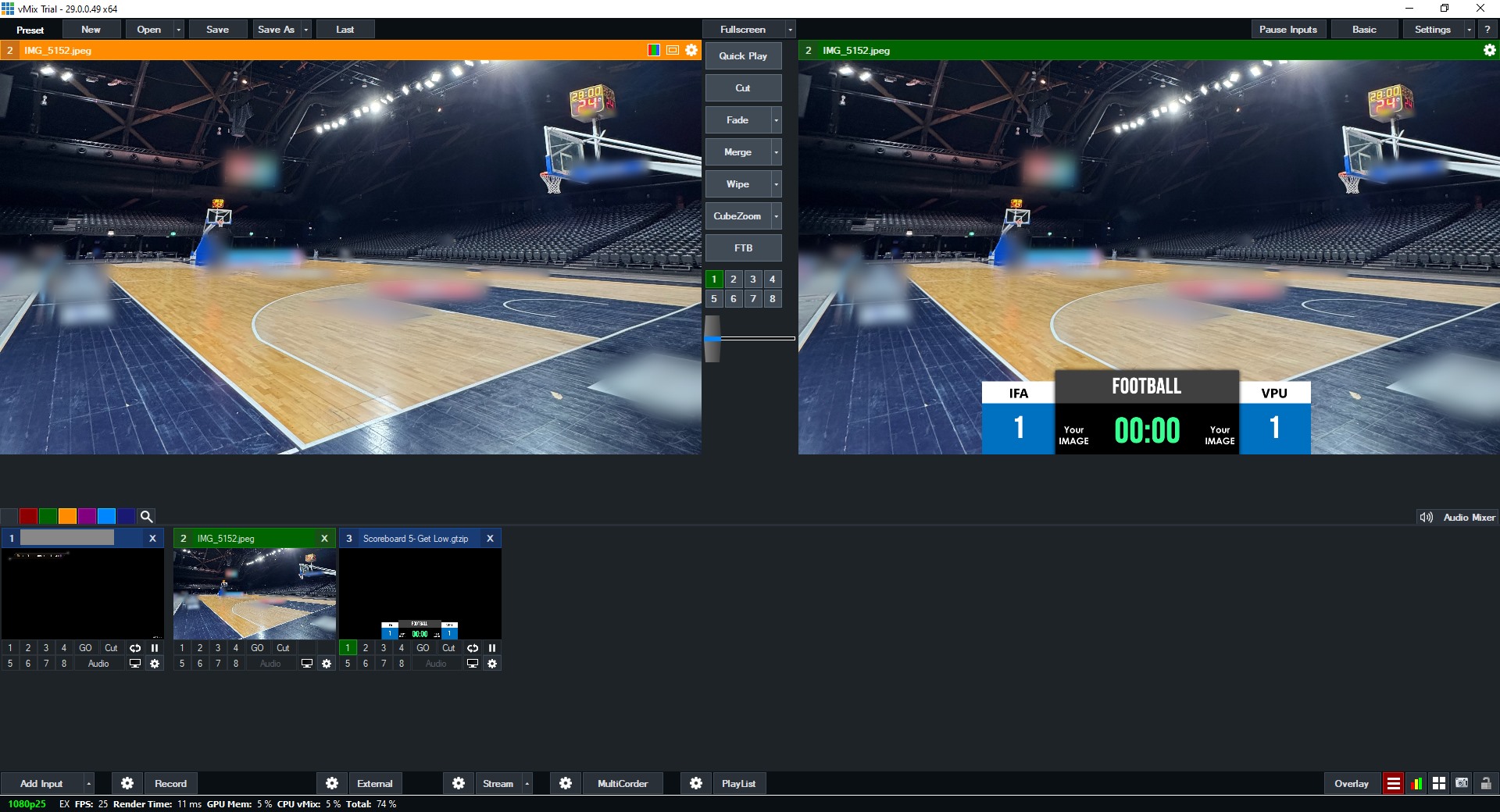
- Score a point in WR Score: the title follows.


If Windows asks whether WR Score may be reached, tick Private networks only, leave Public unticked, and press Allow on the PC where WR Score runs.
Windows asks whether WR Score may be reached. Tick Private networks, leave Public unticked, then press Allow.
OBS: a text source with WR Score's data.
OBS's text source reads a file, not an address, so WR Score writes one file for each field.
- In WR Score, open Outputs, then File writer.
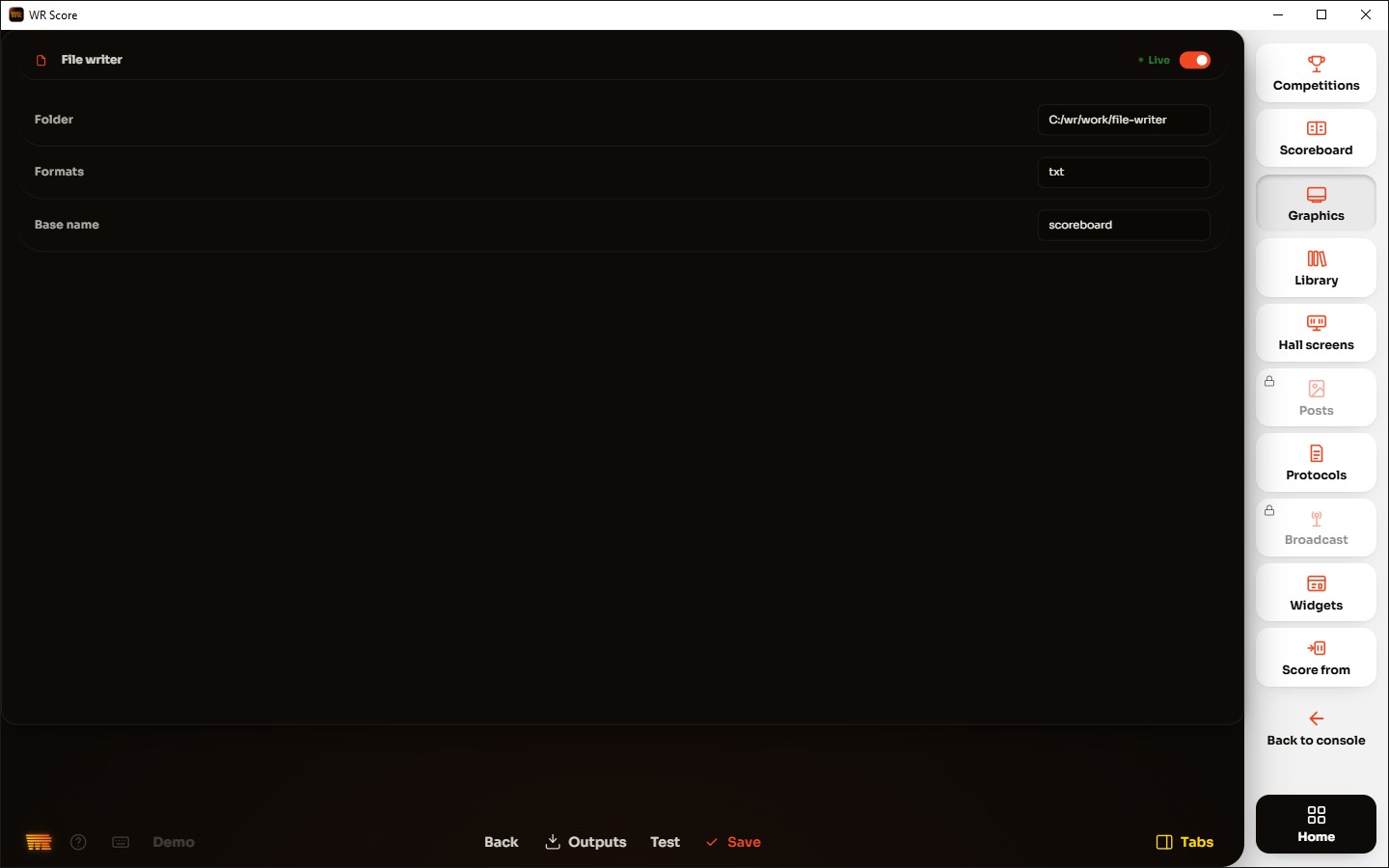
- Choose a Folder and set Formats to
txt, then switch the File writer on. - In OBS: Sources › + › Text (on Windows, Text (GDI+)), tick Read from file, and under Text File pick
scoreboard-score_home.txt.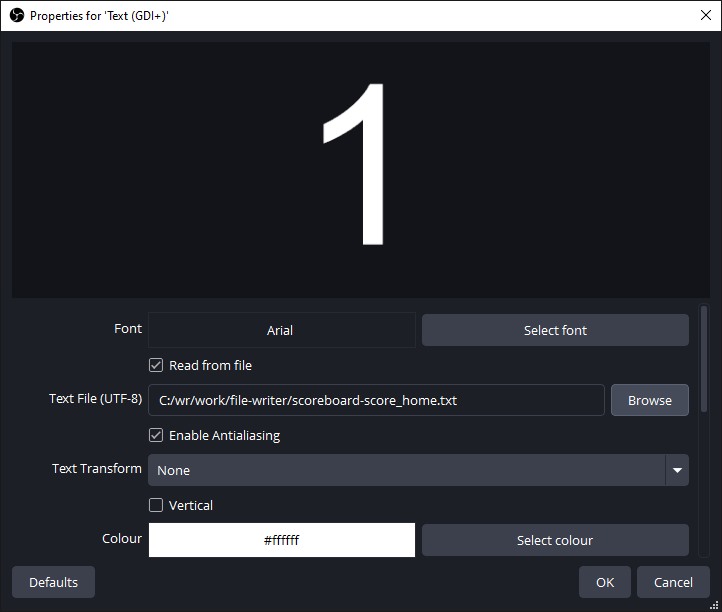
- Do the same for each field you show, such as
scoreboard-team_home_name.txtorscoreboard-clock.txt. - Score a point in WR Score: the text follows.
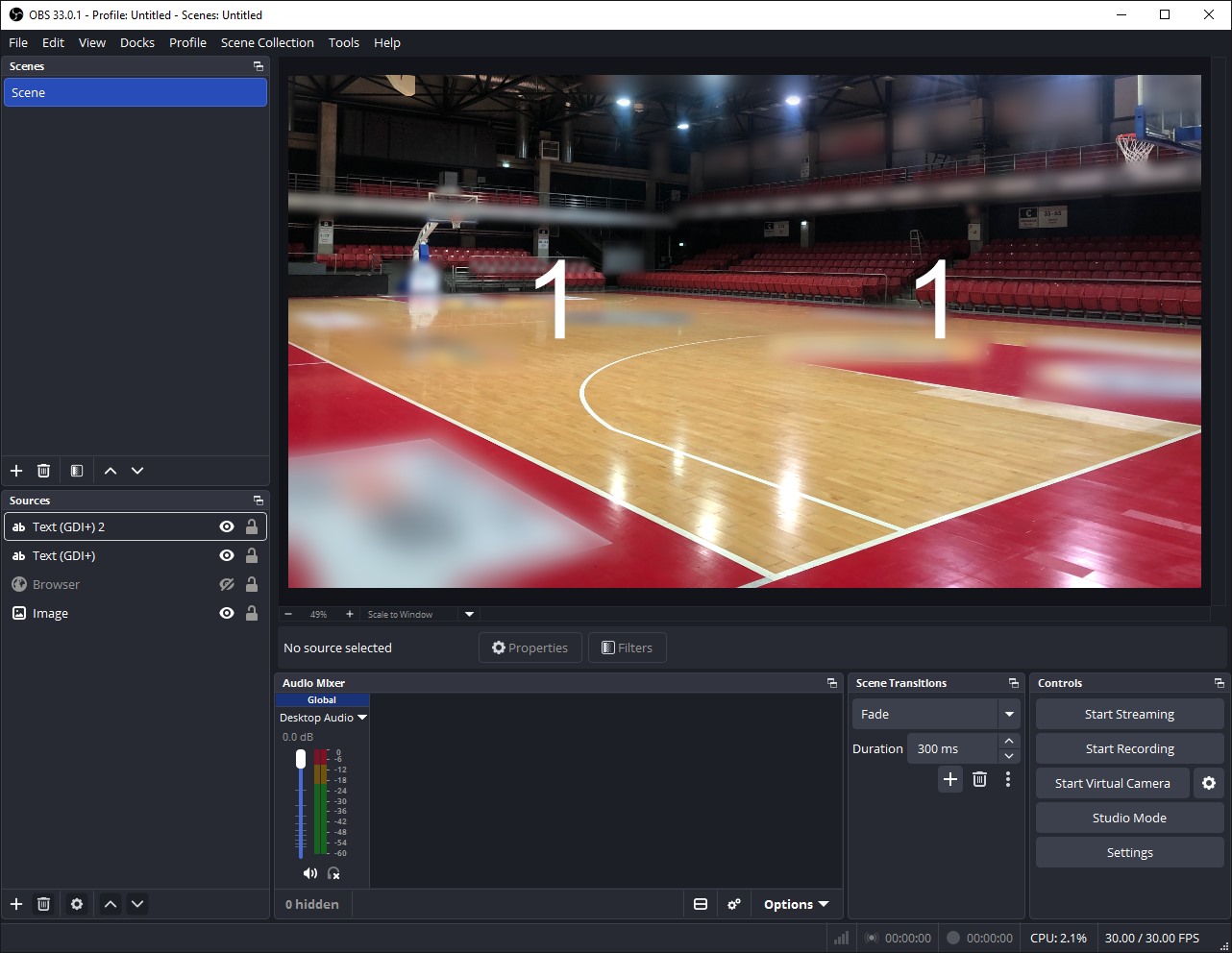


OBS on another computer reads the same files from a shared folder. For texts over the network, Outputs › OBS WebSocket writes the score into OBS's texts.
Other programs.
- CasparCG: a template's script reads the JSON address, As JSON under Your own titles, our data, the same values as the XML. The File writer can also write JSON or one text file a field.
- Singular.live: Outputs › Webhook sends every change to the address of a Data Stream in Singular, where each field is linked to the composition.
- H2R Graphics: WR Score serves nothing made for it yet.
The fields.
Every field is named the same way in XML, JSON and the text files. In a basketball game, for example:
| What | Fields |
|---|---|
| The score | score_home, score_away |
| The teams | team_home_name, team_home_short, team_home_logo, team_home_colour (and _away) |
| The clock | clock, period, period_label, shot_clock |
| The counts | fouls_home, timeouts_home, bonus_home, possession (and _away) |
| The competition | event_name, event_short, season, arena, match_date, match_start |
| The players | player_1_home_name, player_1_home_number, player_1_home_photo… |
| The officials | referee_1, table_official_1, commissioner, commentator_name |
| The table and leaders | table_1_name, table_1_points…, leader_1_name, leader_1_value… |
| Match stats | stat_1_name, stat_1_home, stat_1_away… |
Each sport has its own: a set sport keeps its sets, a sport with innings its innings. The full list for your game is the XML address itself: open it in a browser.